An API client that sends from your own computer
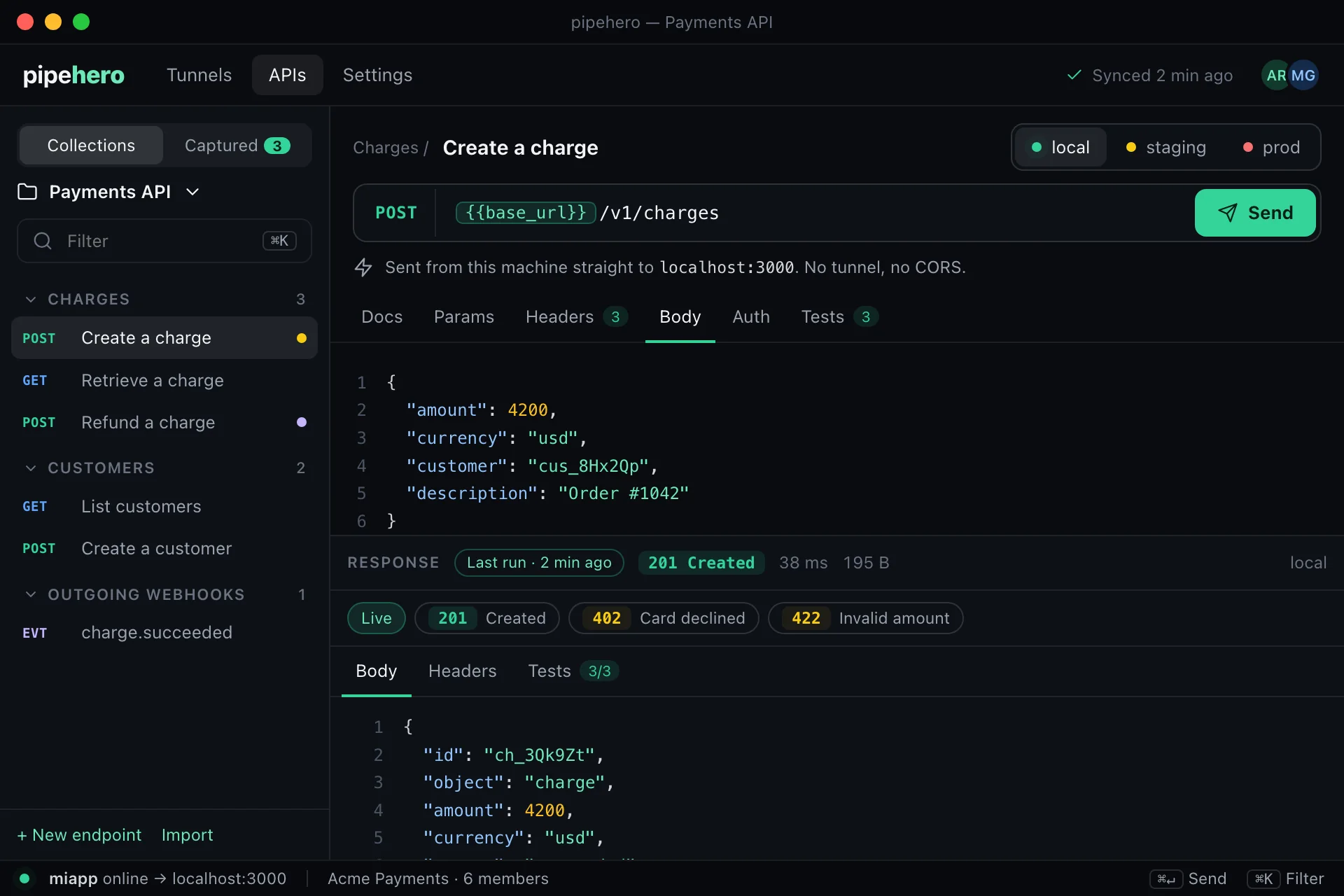
The desktop app has an APIs tab with the same collections as the web. Pressing Send makes the request from your machine directly to the URL: no tunnel, no server in between, no browser CORS rules.
On every plan. Download it for macOS, Windows or Linux.
Why send from your machine
- ›It reaches localhost, your VPN and private networks, which a cloud runner never will.
- ›Pipehero doesn't see the request. The app only reads your docs and, if you choose, saves a response back.
- ›Nothing in the way of the request: it is a native HTTP client, so browser CORS rules don't apply.
Same collections, same variables
Collections, folders, environments, examples and variables are the same as in the web app, and requests are built the same way, including {{variables}} and built-ins like {{$uuid}}. A local environment with no base URL uses the port of the tunnel the app is running.
Secrets and production
- ›A secret's value never leaves the server, so the app asks for it and keeps it only while it is open.
- ›A write to production asks for a second click.
Save what you learn
“Save as example” stores a response as an example of the endpoint, without cookies or private headers. “Save from traffic” lists your tunnel's captured requests and turns one into docs with a click.
Limits
Only http and https, credentials go in headers rather than the URL, 30 seconds per request, up to 5 redirects and 1 MiB of response. Responses over the limit are shown cut short and can't be saved as an example.
Get started in a minute
- ›Download the app for macOS, Windows or Linux from the download page and choose “Log in with browser”.
- ›Open the APIs tab: your collections are there. Choose an endpoint and an environment.
- ›Fill in any variable the environment doesn't give (secrets are asked for here), then press Send.
- ›To test a local environment through a tunnel, connect that tunnel in the Tunnels tab first, and the app sends to its local port.
FAQ
Does Pipehero see my requests?
No. The app sends them directly. Your docs are read from your workspace, and a response is only stored if you save it as an example.
Do I need a tunnel?
Only to receive webhooks from the internet. To send a request to your own app, the desktop app talks to it directly.
Is it available on the free plan?
Yes, within the collection and endpoint limits of your plan.
Keep reading
Everything is in the API workspace docs, and the other parts are API drift detection, Scheduled API monitoring, Keep API docs current with AI.
Document and test your API in minutes
Free plan, no credit card. Import a spec or start from your webhooks, and keep it true from there.
Get started free