Find where your API docs no longer match reality
The docs say one thing, the API returns another, and nobody notices until an integration breaks. Drift detection compares a collection with the last requests a tunnel captured and lists every difference.
Drift detection is on Pro and Team.
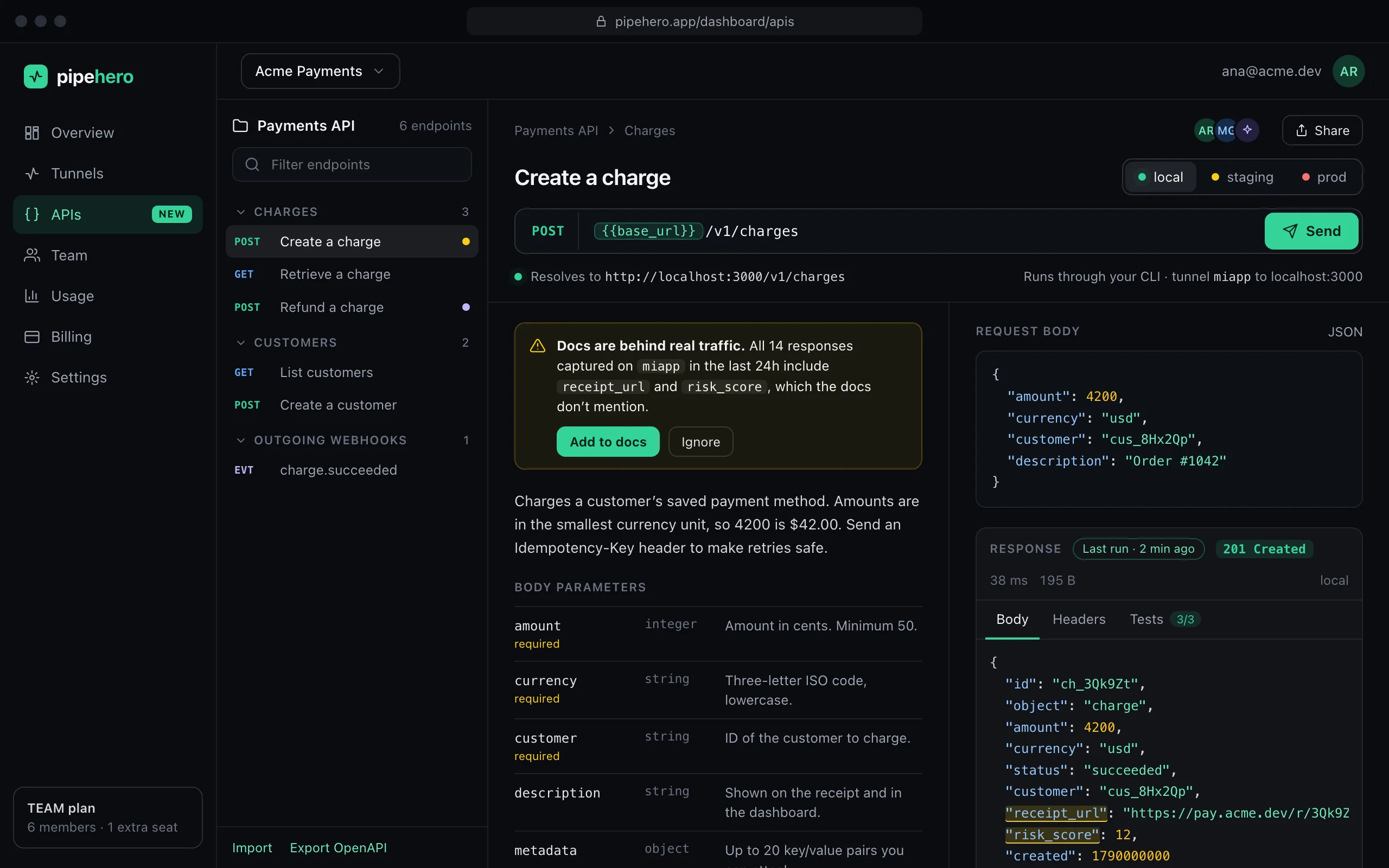
What it finds
- ›Routes that get traffic but aren't documented.
- ›Status codes that were returned but have no example.
- ›Fields in real responses that no example has, and fields whose type changed (a number that is now a string).
- ›Query parameters and request body fields that aren't documented.
- ›Documented fields that never appear, once there are at least five responses to say so, so an optional field doesn't look broken.
How it compares
It looks at the latest 200 requests of the tunnel you choose (up to 500) and matches each one to the documented endpoint with the same method and path, where a {{variable}} matches any segment and the most specific route wins. A new object is one finding, not one per key.
It ignores requests you sent yourself from the workspace, requests that never got an answer, bodies that aren't JSON and endpoints that describe outgoing webhooks.
Fixing it takes a click
Every finding carries the newest request that shows it. For routes, status codes and fields, “Add to docs” saves that request as an example, the same way as saving from the live tail. Parameters and request fields are edited on the endpoint.
Your AI agent can run the same check with check_api_drift and fix what it finds.
What it needs to work
- ›Traffic captured by one of your tunnels: a webhook provider or your own app pointed at it.
- ›Examples with bodies. Fields are only compared for a status that has at least one example with a body; without one, only the status code is checked.
- ›A collection with the endpoints you want checked. Endpoints that describe outgoing webhooks are left out, because they document what your app sends, not what it receives.
A routine that works
Run it after a release, or before a docs review, against the tunnel that gets the most real traffic. Fix what is real, ignore what is noise, and run it again: findings you already handled don't come back, because the request that showed them is now part of the docs.
FAQ
Does it run automatically?
It runs when you ask, from the collection panel or through your agent. For a check on a schedule, use monitors.
Does it compare requests or responses?
Both: response fields, status codes, query parameters and request body fields.
Will it change my docs on its own?
No. It reports differences and you decide what to add.
Keep reading
Everything is in the API workspace docs, and the other parts are Import OpenAPI and Postman, Local, staging and production, API client for your desktop.
Document and test your API in minutes
Free plan, no credit card. Import a spec or start from your webhooks, and keep it true from there.
Get started free