Test your API on localhost, staging and production
An endpoint is the same everywhere; only the base URL, the token and a few values change. Save the request once, define an environment for each place it runs, and switch with one click.
Local runs and the desktop app are on every plan. Runs against staging and production from the cloud are Pro and Team.
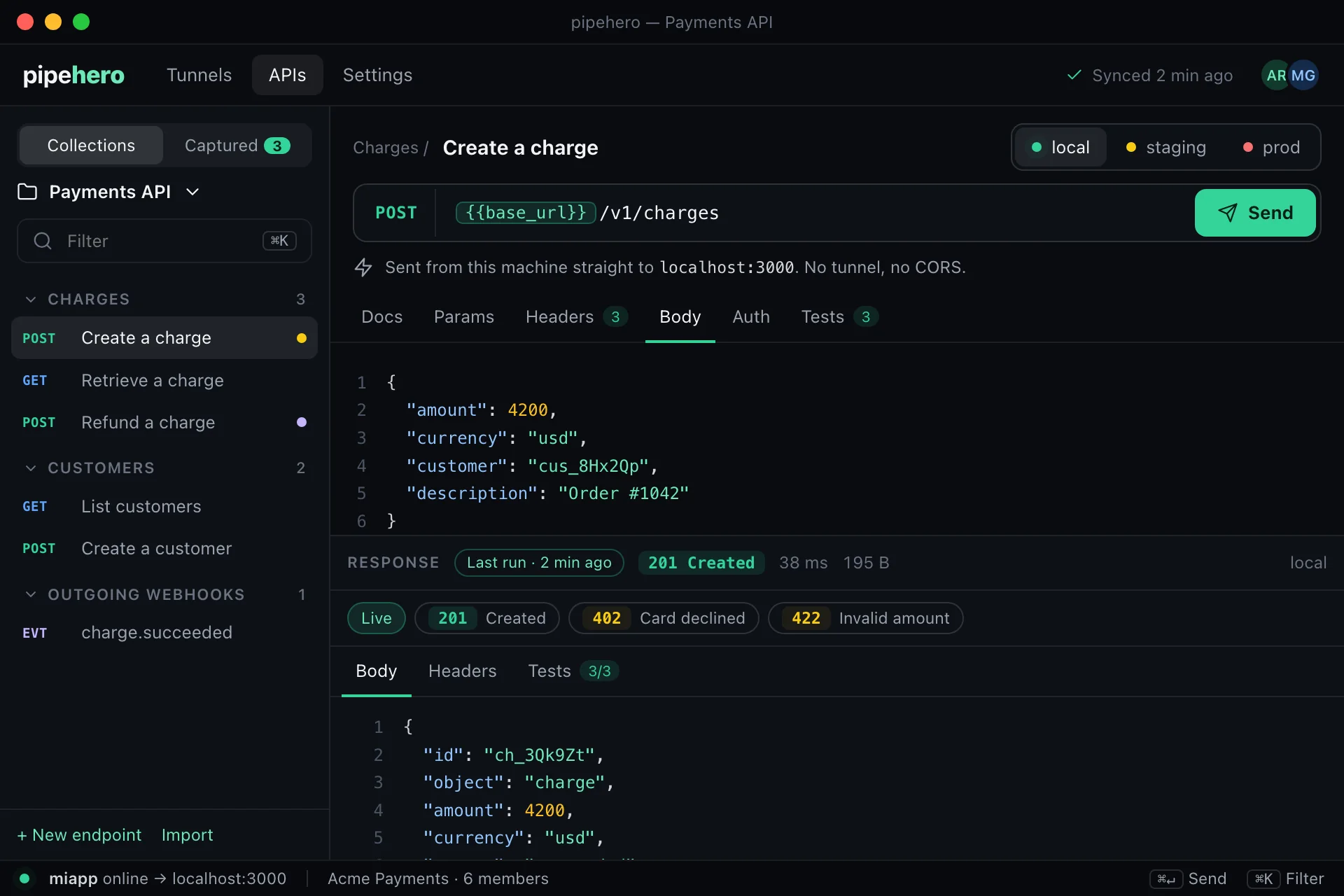
Environments and variables
Each collection has its own environments: local, staging, production or a custom one. Put {{variables}} in paths, header values and JSON bodies and they resolve against the environment you choose. A few are built in and fresh on every run: {{$uuid}}, {{$timestamp}}, {{$timestampMs}} and {{$randomInt}}.
If a variable has no value, nothing is sent, and you are told which ones are missing.
Where each request runs
- ›Local: the request goes out through your Pipehero tunnel to the port your CLI is forwarding to, so it reaches your app on localhost. It also shows up in the tunnel's live tail.
- ›Staging and production: sent from Pipehero's servers to the environment's base URL. This needs the Pro or Team plan.
- ›Desktop app: sent straight from your computer, with no tunnel and no server in between. It reaches localhost, your VPN and private networks.
Secrets stay secret
Mark a variable as a secret and its value is encrypted at rest, never shown again after you save it, and removed by value from run history and from the tunnel's live tail. An AI agent can see that a secret is set, but never its value, and can't create one.
Careful with production
- ›Sending a write (POST, PUT, PATCH, DELETE) to a production environment asks for a second click.
- ›An AI agent can't write to production unless the run is confirmed explicitly.
- ›Scheduled monitors on production only run GET and HEAD.
What the cloud runner will and won't do
Because cloud runs send a request to an address you provide, they only reach public internet addresses, don't follow redirects, and are capped: 5 seconds to connect, 20 seconds in total, 1 MiB of response and 30 runs a minute per workspace. Private, loopback and cloud-metadata addresses are refused. To reach something private, use a local environment or the desktop app.
FAQ
Can I call a staging server on a private network?
Not from the cloud, which only reaches public addresses. Use a local environment through your tunnel, or the desktop app, which sends from your own machine.
Do secrets show up in the run history?
No. Their values are removed from what is stored and returned, and from the live tail of the tunnel.
How many environments can I have?
3 per collection on Free, 10 on Pro, and no limit on Team.
Keep reading
Everything is in the API workspace docs, and the other parts are Document your API from real traffic, API drift detection, Keep API docs current with AI.
Document and test your API in minutes
Free plan, no credit card. Import a spec or start from your webhooks, and keep it true from there.
Get started free